Taking great photos with your phone is easier than ever, thanks to improved camera technology and user-friendly apps. Whether you’re capturing everyday moments or special occasions, a few simple tips can help you take better phone photos. Here’s a guide designed for beginners who want to enhance their photography skills and make the most of their mobile devices.
Understanding Your Phone Camera
Before diving into creative tips, it’s essential to get familiar with your phone’s camera features.
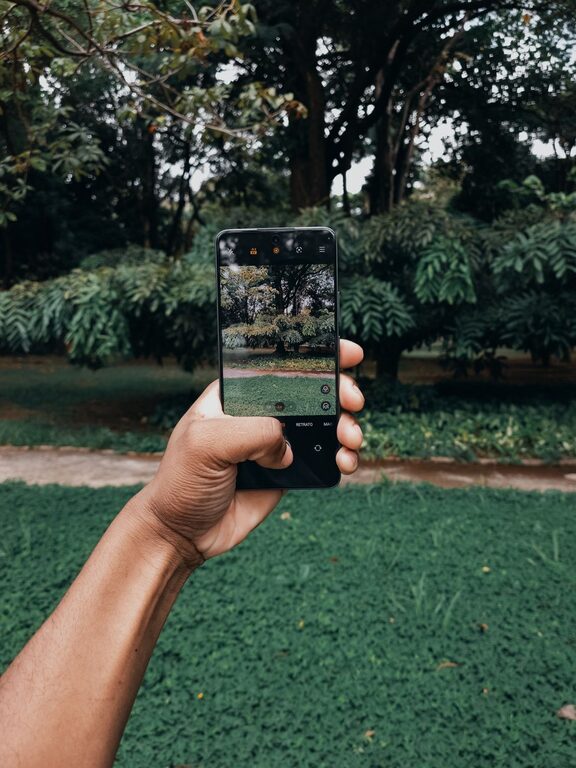
– Explore the Camera App: Spend some time exploring all the shooting modes your phone offers, such as portrait, panorama, or manual mode.
– Check the Settings: Adjust settings like resolution, grid lines, and HDR (High Dynamic Range) to improve image quality.
– Clean Your Lens: A quick wipe can make a big difference, as fingerprints or dust can blur your photos.
Composition Tips for Better Photos
Good composition can turn an ordinary snapshot into a compelling image. Here are some basics to keep in mind:
Use the Rule of Thirds
Most phone cameras offer an option to display a grid. This divides your frame into nine equal parts with two horizontal and two vertical lines. Position the main subject where the lines intersect to create a balanced and visually pleasing photo.
Focus on a Clear Subject
Decide what you want the viewer to notice first. Make sure your subject is well-lit and stands out from the background.
Simplify Your Scene
Avoid clutter by removing distracting elements. A simple background helps the subject shine.
Experiment with Angles and Perspectives
Don’t just shoot from eye level. Try different angles such as getting low to the ground or shooting from above to add interest to your photos.
Lighting: The Key to Great Photos
Good lighting is crucial. Here are some tips to manage it effectively:
– Use Natural Light: Whenever possible, take photos in natural light. Early morning and late afternoon (the golden hours) offer soft, warm light.
– Avoid Harsh Midday Sun: Direct overhead sunlight can create strong shadows and highlights that may not be flattering.
– Use Shadows and Reflections: Shadows can add depth, and reflections can create unique effects.
– Turn on the Flash Wisely: Most phone flashes can be harsh. Use them sparingly and consider other lighting options like external lights or lamps indoors.
Focus and Exposure
To make your photos sharp and well-exposed:
– Tap to Focus: Most phones allow you to tap the screen to focus on your subject.
– Adjust Exposure: After tapping to focus, many devices let you slide your finger up or down to brighten or darken the image.
– Keep the Camera Steady: Avoid blurry pictures by holding your phone steadily or using a tripod or a stable surface.
Use Editing Apps to Enhance Photos
Editing can refine your photos and bring out the best in them.
– Crop and Straighten: Frame your photo better by removing unwanted edges and leveling horizons.
– Adjust Brightness and Contrast: Improve clarity and make colors pop.
– Use Filters Sparingly: Filters can be fun but use them subtly to keep your photos natural.
– Try Free Apps: Apps like Snapseed, VSCO, or Lightroom Mobile offer powerful tools for beginners.
Practice Regularly and Learn from Others
Perfecting your phone photography takes practice.
– Take Photos Often: The more you shoot, the better you’ll understand your phone’s strengths and limits.
– Analyze Your Photos: Look back and see what worked and what didn’t.
– Follow Photography Communities: Join social media groups or websites where you can get inspiration and feedback.
– Try Challenges: Participate in photo challenges to explore different subjects and styles.
Additional Tips for Special Situations
Capturing People
– Focus on eyes to create engaging portraits.
– Use portrait mode to blur the background and highlight your subject.
– Encourage natural expressions and candid moments.
Shooting Landscapes
– Include elements in the foreground to add depth.
– Use panorama mode to capture wide scenes.
– Look for interesting features like leading lines or patterns.
Taking Photos in Low Light
– Keep the phone steady to avoid blur.
– Use night mode if available.
– Increase brightness carefully during editing.
Conclusion
By understanding your phone camera’s features, mastering composition and lighting, and practicing regularly, you can significantly improve your phone photography. Remember, the best photos tell a story or capture a moment meaningfully, so don’t be afraid to experiment and have fun along the way. With patience and curiosity, you’ll soon be taking photos that you’ll be proud to share.
About the Author